

Canon imagePROGRAF PRO-2600 FAQ – Your Questions Answered
Everything you need to know about the Canon imagePROGRAF PRO-2600 24″ professional printer. Expert answers on workflow, costs, paper compatibility, and print quality from Canon’s official partner, RGB UK.
Workflow & Daily Use
What makes the Canon PRO-2600 different in actual daily use?
Most 24″ printers sound similar on paper, but the PRO-2600 behaves very differently in real workflows. The key difference is how little time you waste on printer babysitting.
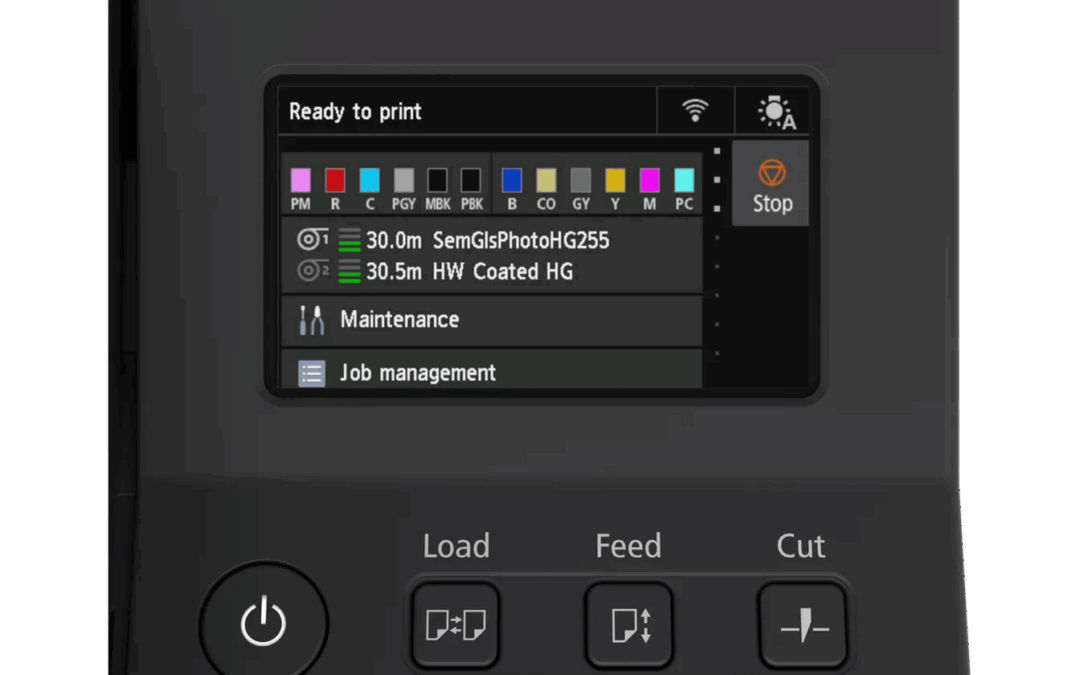
Intuitive touchscreen interface simplifies operation and media management
The automatic roll loading and skew correction means no manual alignment. Built-in colour calibration maintains consistency without external calibrators. The optional dual-roll setup lets you queue glossy and matte jobs back-to-back with zero operator input between them.
For studios, print labs, and in-house graphics departments, this translates to significantly fewer interruptions throughout the day. You’re not constantly stopping to adjust media, recalibrate, or troubleshoot colour drift. The printer just runs.
The 12-colour LUCIA PRO II ink system also eliminates the black ink purging waste common when switching between photo and matte media on other printers. Both blacks are always available, saving time and reducing ink costs.
How does the PRO-2600 handle high-volume studio work?
The PRO-2600 is engineered for production environments where downtime costs money. The 160ml and 330ml ink tanks provide substantially more capacity than cartridge-based systems, meaning fewer mid-job interruptions.
Smart cleaning cycles use only the ink they need, when they need it. Combined with the individual tank system (you only replace colours as depleted), many studios report 20-30% lower ink costs versus their previous 24″ printer.
The user-replaceable print head is critical for high-volume work. If you ever need to swap it, you can do it yourself in minutes rather than waiting for an expensive engineer visit and extended downtime.
For businesses needing predictable costs and minimal disruption, RGB UK offers the eService Inclusive Ink Plan which bundles ink, maintenance, and support into a fixed monthly payment.
What’s the real story on running costs?
Running costs depend on three factors: ink efficiency, media waste, and maintenance frequency. The PRO-2600 performs well on all three.
Cost Breakdown
- Ink efficiency: Smart cleaning system and no black-switching waste means you’re not purging ink every time you change paper types
- Media waste: Precision feeding and automatic skew correction minimise rejected prints and paper wastage
- Maintenance: User-replaceable print head and automated routines avoid surprise engineer callouts
As Canon’s official imagePROGRAF partner, RGB UK stocks all PRO-2600 ink cartridges at competitive prices with fast delivery. Contact sales@rgbuk.com for volume pricing on ink and media.
Technical Capabilities & Specifications
What is the Canon imagePROGRAF PRO-2600 and who actually needs one?
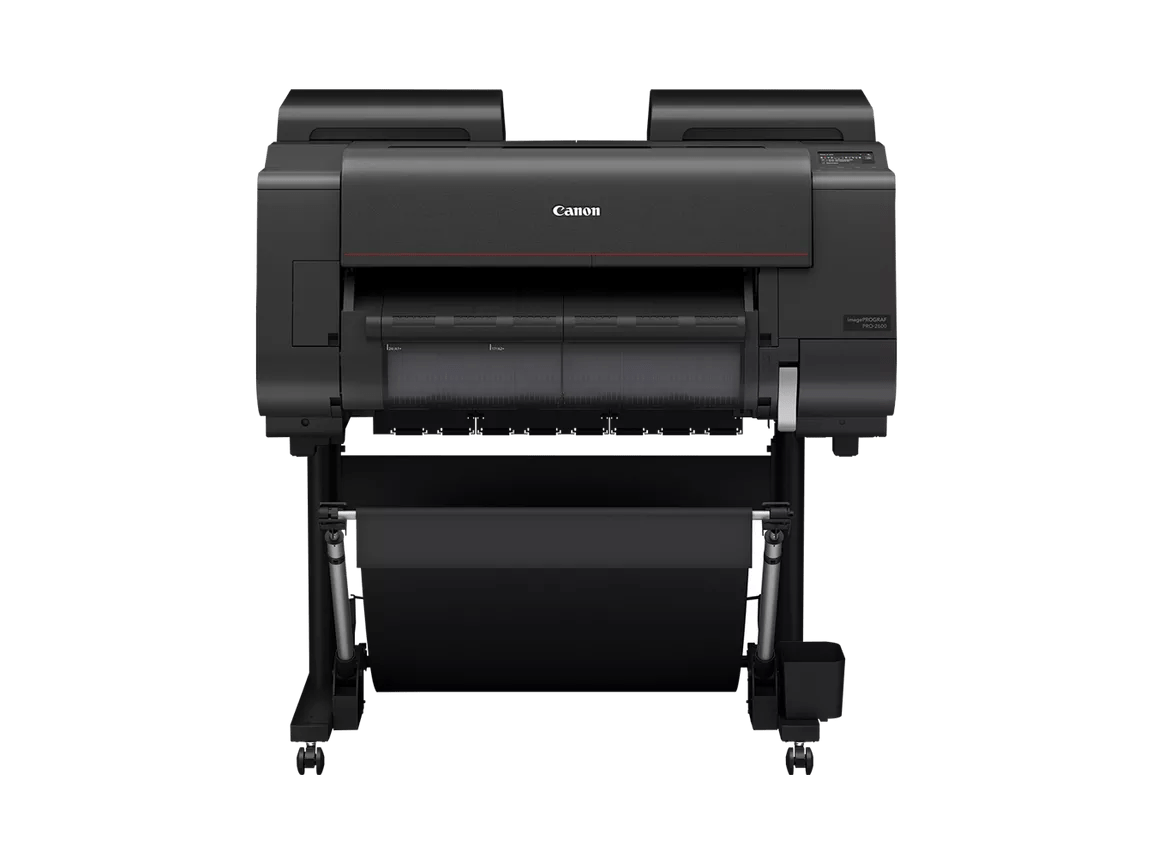
The Canon imagePROGRAF PRO-2600 is a professional 24-inch wide-format printer built for photographers, fine art printmakers, and creative professionals who can’t compromise on colour accuracy or archival quality. It uses Canon’s 12-colour LUCIA PRO II pigment ink system to deliver exceptional colour gamut, smooth gradations, and deep blacks that simply aren’t possible with standard CMYK printers.
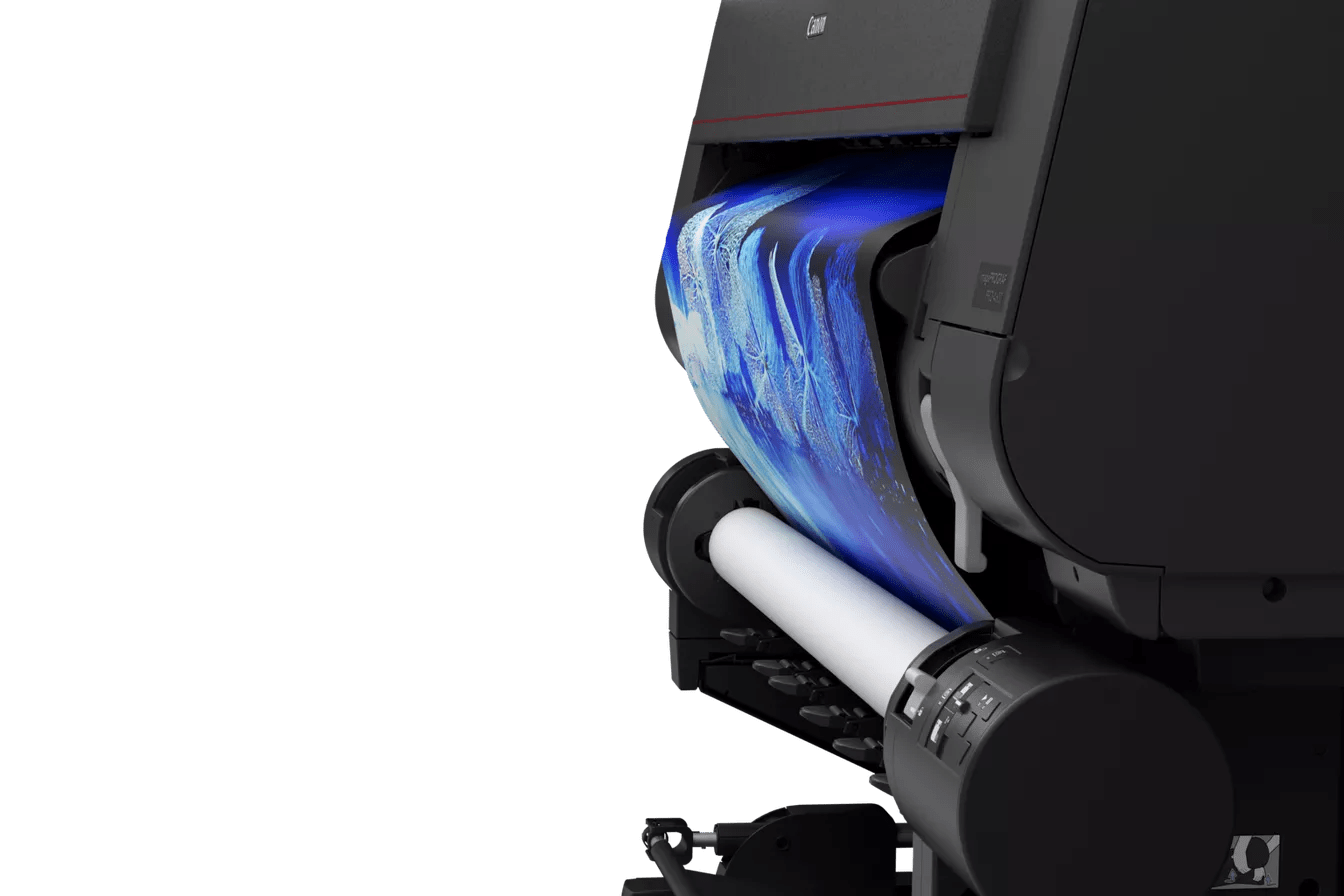
Automatic roll loading handles media up to 24 inches wide and 1.5mm thick
You need this printer if you’re producing exhibition prints for galleries, creating limited edition fine art, running a professional photo printing service, or handling commercial work where colour accuracy is non-negotiable. The PRO-2600 excels at museum-quality prints on everything from glossy photo papers to heavily textured fine art substrates up to 1.5mm thick.
Browse Canon’s full Photography & Fine Art printer range to compare models and find the right fit for your workflow.
Why does the 12-colour LUCIA PRO II ink system matter?
The 12-colour system isn’t marketing fluff—it fundamentally changes what’s reproducible. You get Photo Cyan, Cyan, Photo Magenta, Magenta, Yellow, Photo Black, Matte Black, Grey, Photo Grey, Chroma Optimizer, Red, and Blue.
What the 12-Colour System Delivers
- Extended gamut: Accurate skin tones in portraiture, vibrant product photography, and fine art that matches originals
- Three grey inks: Seamless black-and-white prints with tonal transitions rivalling traditional darkroom quality
- Chroma Optimizer: Uniform gloss preventing the bronzing effect that ruins gallery pieces
- 200+ year archival rating: Essential when clients pay premium prices for limited editions
For optimal results, pair the PRO-2600 with premium substrates from RGB UK’s Hahnemühle, Canson, and Innova fine art ranges.
What paper sizes and media types work with the PRO-2600?
The PRO-2600 handles media up to 24 inches (610mm) wide—perfect for A2 prints, panoramics, and standard photo sizes. More importantly, it handles an impressive range of substrates that many competitors can’t touch:
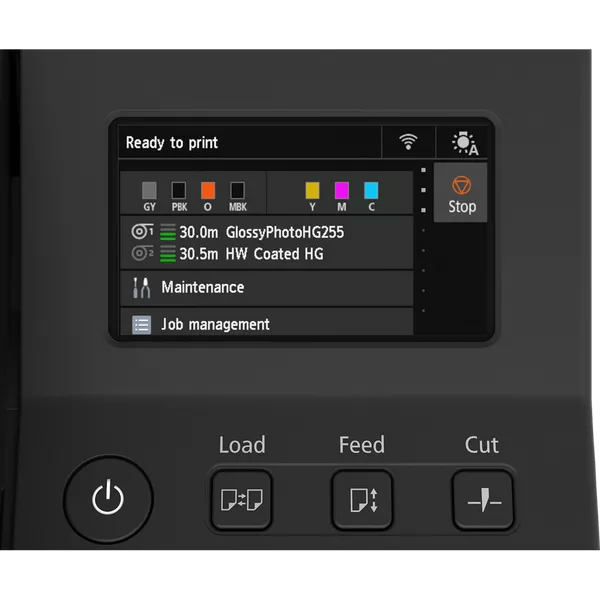
Exceptional print quality on fine art papers, canvas, and specialty substrates
Media Capabilities
- Thickness: Up to 1.5mm for rigid substrates
- Weight: 64gsm to 465gsm
- Types: Glossy, lustre, satin, matte, cotton rag, canvas, baryta
- Formats: Roll and cut sheets
All papers come with custom ICC profiles for accurate colour management. Need help choosing? Email sales@rgbuk.com for substrate recommendations based on your application.
How does the PRO-2600 ensure colour accuracy?
Colour accuracy isn’t magic—it’s engineered into every component:
Colour Management Technologies
- Built-in calibration: Automated routines maintain consistency without external calibrators
- L-COA PRO engine: Advanced processing ensures accurate interpretation from file to print
- 16-bit processing: Smooth gradations without banding
- Wide gamut support: Handles Adobe RGB accurately
- Custom ICC profiles: RGB UK provides profiles for all major fine art papers
For photographers and printmakers requiring absolute colour fidelity, consider pairing with RGB UK’s X-Rite colour profiling tools for complete workflow control.
Comparisons & Alternatives
PRO-2600 vs PRO-2100: Which one makes sense?
Both printers share the same 24-inch format and LUCIA PRO II ink system, but the PRO-2600 pulls ahead on connectivity and future-proofing:
PRO-2600 Advantages
- Built-in Wi-Fi connectivity
- Faster image processing
- Larger touchscreen display
- Cloud printing support
- Enhanced mobile printing
Best For
PRO-2100: Single-location studio work with Ethernet connection
PRO-2600: Network flexibility, cloud integration, multi-device environments
Most commercial operations find the connectivity upgrade worth the investment. Need to go wider? Compare with the 44″ PRO-4600 and 60″ PRO-6600 for production requirements.
How does the PRO-2600 compare to Epson and HP 24″ photo printers?
The PRO-2600 competes directly with Epson’s SureColor P6000/P7500 and HP’s DesignJet Z series. Here’s where Canon differentiates:
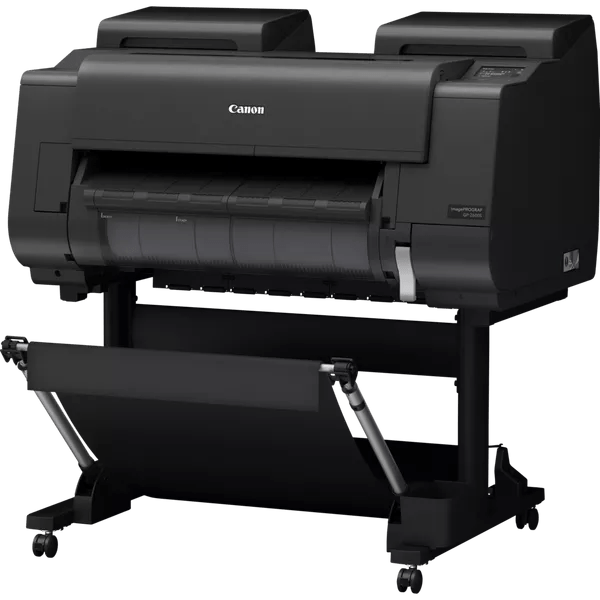
Professional studio setup with RGB UK support and Canon partnership benefits
Canon PRO-2600 Competitive Advantages
- 12-colour system: Broader gamut than most 10-colour competitors, particularly in reds, blues, and purples
- LUCIA PRO II inks: 200+ year longevity with minimal metamerism
- B&W excellence: Dedicated grey inks for superior monochrome without colour casts
- Media flexibility: Handles 1.5mm thick substrates some competitors struggle with
- Reliable operation: Canon’s reputation backed by RGB UK’s expert support
Many photographers choose Canon for natural colour rendering and exceptional skin tone reproduction. As Canon’s official partner, RGB UK provides unmatched technical support, competitive pricing, and fast access to consumables.
Black & White Photography
Is the PRO-2600 genuinely good for black and white photography?
Genuinely exceptional. The dedicated grey inks (Grey and Photo Grey) working alongside the black inks produce neutral, tonally rich monochrome prints with zero colour casts—a persistent problem with CMYK-only systems.
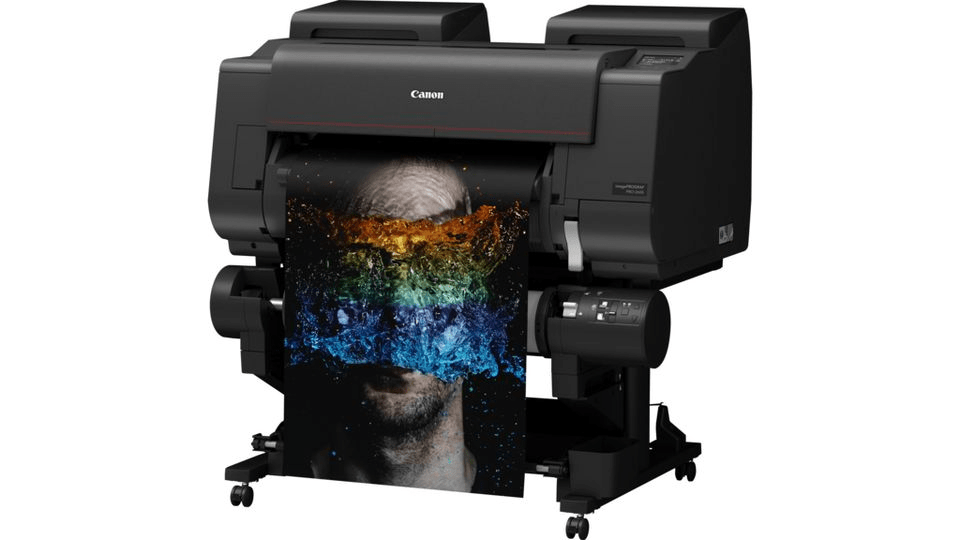
Gallery-quality prints with exceptional tonal range and detail
B&W Printing Advantages
- True neutral greys: Multiple grey inks eliminate colour casts across the entire tonal range
- Smooth gradations: No visible steps from deep shadows to bright highlights
- Deep blacks: Exceptional Dmax for rich shadows that anchor images
- Archival permanence: Pigment inks ensure long-lasting gallery and museum work
Many fine art photographers specifically choose the PRO-2600 for its black-and-white capabilities. Paired with premium papers like Hahnemühle Photo Rag or German Etching, it produces gallery-quality monochrome prints that compete with traditional darkroom output.
Software & Operation
What software do you need to run the PRO-2600?
The PRO-2600 works with standard imaging applications through Canon’s comprehensive driver package:
Included Software
- Canon printer drivers (Windows/macOS)
- Media Configuration Tool
- Print Studio Pro plugin
- Accounting Manager
- Direct Print & Share
Compatible Applications
- Adobe Photoshop & Lightroom
- Capture One
- Photoshop Elements
- Any standard driver application
No proprietary software required for basic operation. Download the latest drivers from RGB UK’s driver page or contact sales@rgbuk.com for setup assistance.
What maintenance does the PRO-2600 actually require?
The PRO-2600 is designed for low-maintenance operation with most processes automated:
Maintenance Requirements
- Automatic: Print head maintenance runs automatically
- Manual checks: Run nozzle patterns to verify jet performance
- Cleaning routines: Accessible through control panel if needed
- User-replaceable head: Swap in minutes without engineer visits
- Media path cleaning: Occasional cleaning prevents dust buildup
For optimal performance, print at least once weekly. Regular use prevents ink drying in nozzles. RGB UK stocks all Canon printer spares including print heads and maintenance cartridges. For support, explore our on-site support packs.
Ink Costs & Consumables
What do replacement inks actually cost and how long do they last?
The PRO-2600 uses individual 160ml ink tanks, so you only replace colours that run out—far more economical than combined cartridge systems where you discard partially-used colours.
Ink Longevity Factors
- Image content: Heavily saturated images consume more than high-key compositions
- Paper type: Absorbent fine art papers use more ink than glossy photo papers
- Coverage: Full-bleed prints use more ink than bordered prints
- Print frequency: Regular use is more ink-efficient (fewer cleaning cycles)
As Canon’s official imagePROGRAF partner, RGB UK stocks all PRO-2600 replacement inks at competitive prices with fast UK delivery. We recommend maintaining spare sets of frequently-used colours (particularly Photo Black, Cyan, and Magenta).
For predictable monthly costs, ask about RGB UK’s eService Inclusive Ink Plan bundling ink, maintenance, and support. Email sales@rgbuk.com for volume pricing.
Can you use third-party inks or is it worth the risk?
While third-party inks are available, they’re a false economy for professional work. Here’s why we strongly recommend genuine Canon LUCIA PRO II inks:
⚠️ Third-Party Ink Risks
- Colour accuracy: Canon’s profiles are optimised for genuine inks—third-party inks produce colour shifts destroying colour-managed workflows
- Longevity: Canon inks deliver tested 200+ year permanence—third-party inks may fade in months or years
- Print head protection: Formulation differences cause clogging, banding, or permanent damage
- Warranty: Non-genuine consumables may void warranty coverage
- Consistency: Batch variations ruin colour repeatability for edition work
For professional studios where reputation depends on consistent, archival-quality output, genuine Canon inks aren’t optional—they’re insurance. RGB UK’s competitive pricing on genuine LUCIA PRO II inks makes the choice easier.
Regarding paper: The PRO-2600 works beautifully with third-party fine art papers. RGB UK supplies premium papers from Hahnemühle, Canson, and Innova—all fully compatible when paired with genuine Canon inks and proper ICC profiles.
Commercial Applications
Is the PRO-2600 viable for commercial printing businesses?
Yes—the PRO-2600 is well-suited to commercial photo printing operations focusing on premium quality output. Its strengths for commercial environments:
Quality & Consistency
- Automated calibration maintains accuracy
- Reasonable throughput for boutique labs
- Gallery-quality results command premium pricing
Business Operations
- Network connectivity for multiple users
- Built-in cost tracking for client billing
- Wide media support for diverse products
The PRO-2600 is particularly popular with professional photo labs, exhibition print services, and studios offering fine art reproduction. For higher-volume commercial printing or wider formats, Canon offers the 44″ PRO-4600 and 60″ PRO-6600.
Need flexible payment options? RGB UK offers printer leasing and the eService plan with fixed monthly costs including ink and support.
Print Longevity & Archival Quality
How long do prints from the PRO-2600 actually last?
Prints produced with genuine Canon LUCIA PRO II pigment inks offer exceptional longevity—critical for fine art and archival applications.
Archival Longevity
- Display permanence: 200+ years for many fine art paper combinations under typical indoor gallery conditions
- Album storage: Even longer permanence in archival storage conditions
- Fade resistance: Excellent resistance to atmospheric pollutants and UV light
Actual longevity depends on display conditions (light levels, temperature, humidity), paper quality, and mounting/framing methods. Prints in direct sunlight or harsh lighting fade faster than those in typical indoor gallery conditions.
Maximising Archival Permanence
- Use acid-free fine art papers from RGB UK’s Hahnemühle or Canson ranges
- Use proper archival mounting techniques
- Frame with UV-protective glazing
- Display in appropriate lighting conditions
Need help selecting archival materials? Contact sales@rgbuk.com for substrate and finishing recommendations.
What’s Included & Requirements
What’s included with the PRO-2600 and what else do you need?
The Canon imagePROGRAF PRO-2600 package includes the printer, full set of 160ml starter ink cartridges, power cable, USB cable, setup software, and print head.
In the Box
- PRO-2600 printer
- 12 × 160ml starter inks
- Print head
- Cables & setup software
You’ll Also Need
- Paper/media
- ICC profiles (RGB UK provides)
- Calibration tools (optional)
- Spare inks
As Canon’s official imagePROGRAF partner, RGB UK can supply complete printing packages including the printer, paper, inks, profiles, and technical support. For quotes on complete solutions, email sales@rgbuk.com or call 0118 934 4426.
Where to Buy & Support
Where should you buy the Canon imagePROGRAF PRO-2600?
RGB UK is Canon’s official imagePROGRAF partner, offering advantages you won’t find elsewhere:
Pricing & Products
- Competitive pricing on printers
- Trade & education discounts
- Complete solutions from one supplier
- Custom ICC profiles provided
Support & Service
- Expert technical support
- On-site support packs
- Setup & training included
- Fast UK delivery (order by 3pm)
Flexible Payment
- Printer leasing options
- eService ink plans
- Fixed monthly costs available
Ready to Get Started?
Contact RGB UK for PRO-2600 pricing, package deals, and technical questions
Visit the Canon imagePROGRAF PRO-2600 product page for detailed specifications and ordering information.
Related Resources
PRO-2600 Product Page
Full specifications and ordering
Compatible Inks
LUCIA PRO II cartridges
Fine Art Media
Papers for the PRO-2600
Driver Downloads
Latest Canon drivers
For a production-focused comparison covering uptime, operating costs and deployment planning, read our Canon PRO-2600 printer buyer’s guide.