
Published February 2026 | Expert Guide | 10 min read
The demand for gallery-quality fine art prints has never been higher. Photographers, artists and print studios across the UK are increasingly bringing their printing in-house, seeking the control and consistency that only a professional large format printer can deliver. Whether you are producing limited-edition photographic prints, giclée reproductions or exhibition-ready artwork, the quality of your output depends entirely on the tools and workflow behind it.
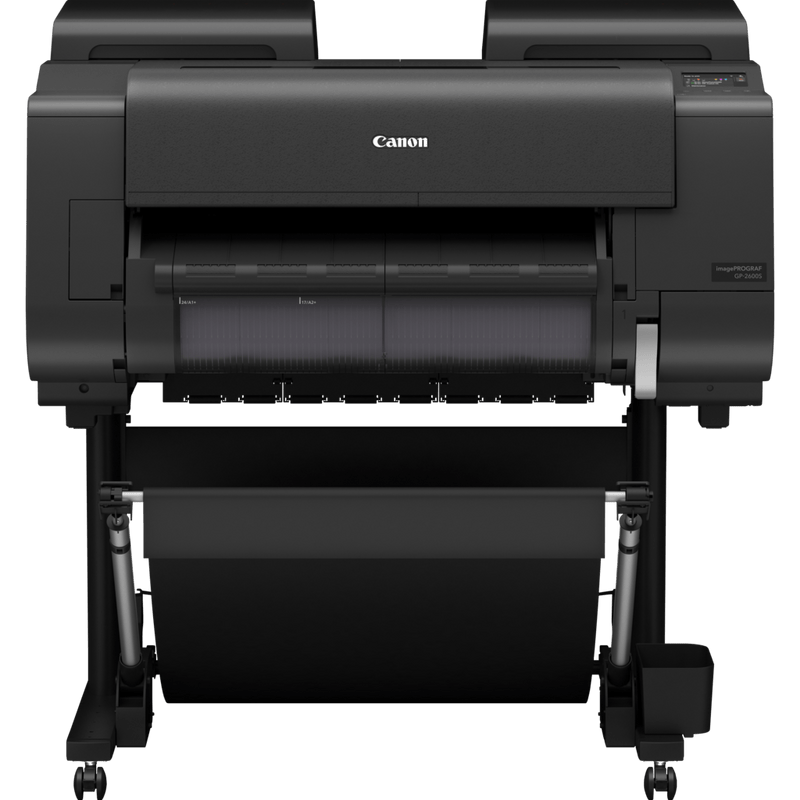
The Canon imagePROGRAF PRO-2600 is a 24-inch professional pigment ink printer built from the ground up for fine art and photographic reproduction. In this guide, we walk through what it takes to produce truly gallery-quality prints, how the PRO-2600 delivers on that promise, and the workflow practices that ensure every print meets the highest standards.
What Makes a Print Gallery Quality?
Before discussing hardware, it is worth understanding what separates a gallery-quality fine art print from a standard inkjet output. Galleries, collectors and discerning artists expect prints that meet several exacting criteria.
Colour Accuracy
A gallery-quality print faithfully reproduces the tonal range and colour palette of the original image or artwork. Subtle gradations, skin tones, earthy hues and vivid highlights must all translate accurately from screen to paper. This requires a printer with a wide colour gamut and a finely tuned colour management workflow.
Deep Blacks and Shadow Detail
One of the most common shortcomings in lesser printers is the loss of shadow detail. Gallery prints demand rich, dense blacks with smooth tonal transitions. Areas of deep shadow should retain texture and nuance rather than collapsing into flat, featureless darkness.
Archival Longevity
Fine art prints must stand the test of time. Galleries and collectors expect prints to resist fading, discolouration and degradation for decades. This means pigment-based inks on acid-free, archival-grade media are non-negotiable. Dye-based inks, however vibrant they may appear initially, simply do not offer the permanence required for serious fine art work.
Media Choice
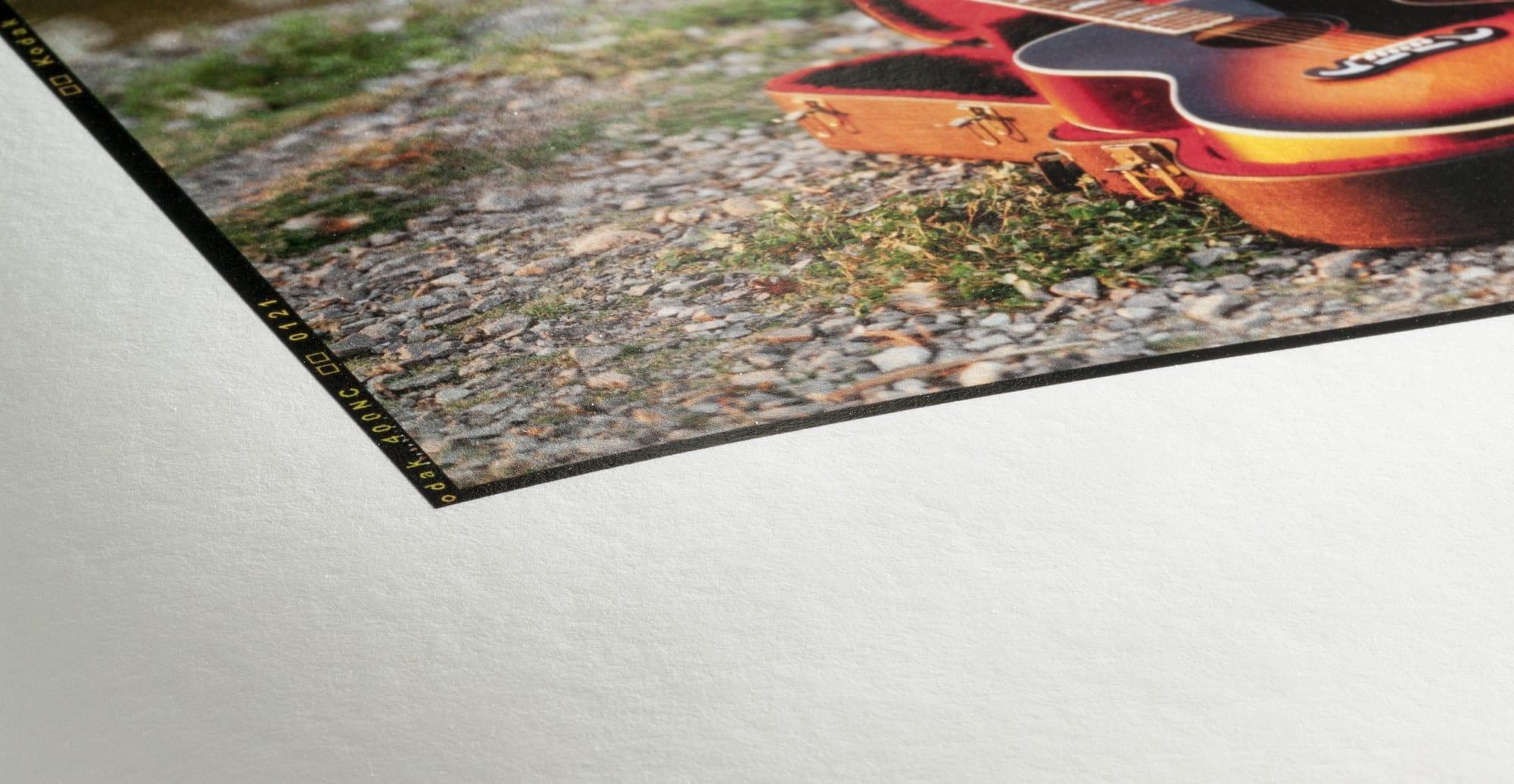
The paper or canvas itself plays a central role in the finished result. The weight, texture, surface finish and whiteness of the media all influence how ink is absorbed and how colour is rendered. A gallery-quality print uses media specifically engineered for fine art reproduction.
Consistency
A single superb print is not enough. Gallery-quality printing means being able to reproduce that result reliably, print after print, day after day. Consistency depends on stable hardware, accurate profiling and a disciplined workflow.
Why the Canon imagePROGRAF PRO-2600 Is Built for Fine Art
The Canon imagePROGRAF PRO-2600 is not a repurposed graphic arts printer with a fine art mode bolted on. It is a machine purpose-designed for professional photographic and fine art output. Here is why it excels in this role.
LUCIA PRO Pigment Inks
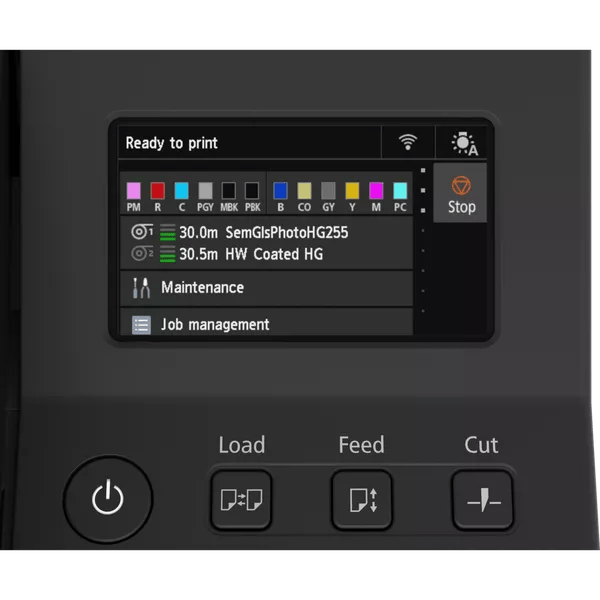
At the heart of the PRO-2600 is Canon’s LUCIA PRO pigment ink system. This 12-colour ink set includes dedicated Photo Cyan, Photo Magenta, Grey and Photo Grey inks alongside the standard primaries, plus a Chroma Optimiser. The result is an extraordinarily wide colour gamut that captures the subtle tonal shifts fine art demands. Pigment inks also deliver the archival permanence that galleries and collectors require, with print longevity rated at up to 200 years on compatible Canon media.
Expanded Colour Gamut
The 12-colour configuration ensures the PRO-2600 can reproduce colours that many printers simply cannot reach. Deep blues, rich reds and nuanced earth tones are rendered with remarkable fidelity. For photographers working with landscapes, portraits or fine art reproduction, this extended gamut means fewer compromises between what you see on a calibrated monitor and what appears on paper.
Black Density
The PRO-2600 achieves exceptional black density, which is critical for fine art and photographic work. The combination of Matte Black and Photo Black inks, with the printer automatically selecting the optimal black configuration for the media type, ensures rich, dimensional shadows on both matte fine art papers and glossy or satin photographic stocks.
Precision Media Handling
Fine art papers can be delicate, thick and unforgiving. The PRO-2600 features a precision media feeding system designed to handle heavyweight cotton rag papers, textured fine art stocks and standard roll media with equal reliability. The vacuum-based platen holds media flat and stable during printing, eliminating banding, cockling and misfeeds that can ruin expensive media.
Print Head Precision
Canon’s precision print head technology delivers ink droplets as small as 4 picolitres, producing smooth gradations and fine detail that hold up under close inspection. For fine art work where viewers examine prints at close range, this level of detail is essential.
Reliability in Studio Environments
The PRO-2600 is built for consistent, day-in, day-out use in professional studios. The print head is designed for longevity, the ink delivery system minimises waste, and the overall build quality reflects a machine intended for professionals who depend on their printer as a production tool, not an occasional accessory.
Choosing the Right Fine Art Paper
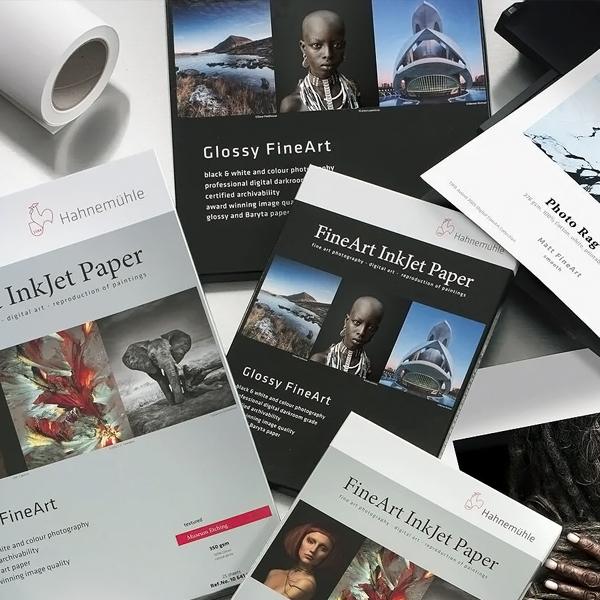
The paper you choose is every bit as important as the printer. Different media produce dramatically different results, and selecting the right stock for your work is a creative decision as much as a technical one.
Cotton Rag
Cotton rag papers are the gold standard for fine art printing. Made from 100% cotton fibre rather than wood pulp, these papers are naturally acid-free and archival. They have a beautiful tactile quality and a subtle texture that gives prints a handmade, gallery feel. Cotton rag is ideal for photographic fine art, giclée reproductions and limited-edition prints. Popular weights range from 300gsm to 350gsm, offering a substantial, premium feel.
Textured Fine Art Media
Textured stocks, including watercolour-style and etching papers, add a distinctive artistic character to prints. The surface texture interacts with the ink to soften edges slightly and create a result that feels more like a traditional print or painting than a digital output. These papers work exceptionally well for art reproductions, abstract work and landscape photography where a painterly quality is desired.
Smooth Matte
Smooth matte papers offer a clean, contemporary look with no surface texture to compete with the image detail. They are well suited to high-detail photography, architectural work and graphic art where sharpness and precision are priorities. Matte papers also eliminate glare entirely, making them an excellent choice for framed prints displayed under glass or in brightly lit gallery spaces.
Satin and Gloss
For vivid colour reproduction and punchy contrast, satin and gloss photographic papers remain popular. Satin finishes strike a balance between the vibrancy of gloss and the subtlety of matte, making them versatile for both colour and monochrome photography. Gloss papers deliver maximum colour saturation and are particularly effective for bold, high-contrast imagery.
RGB UK stocks a comprehensive range of compatible fine art and photographic media for the PRO-2600. If you are unsure which paper best suits your work, the team can advise based on your subject matter and intended output.
Colour Management and Workflow Tips
Even the finest printer and paper combination will produce disappointing results without proper colour management. Getting gallery-quality prints consistently requires a controlled, calibrated workflow from capture to final output.
ICC Profiles
Every combination of printer, ink and paper produces colour slightly differently. ICC profiles are the bridge between your editing software and your printed output. Canon provides ICC profiles for its own media, and many third-party paper manufacturers supply profiles specifically for the PRO-2600. For the most accurate results, custom ICC profiles generated with a spectrophotometer are recommended.
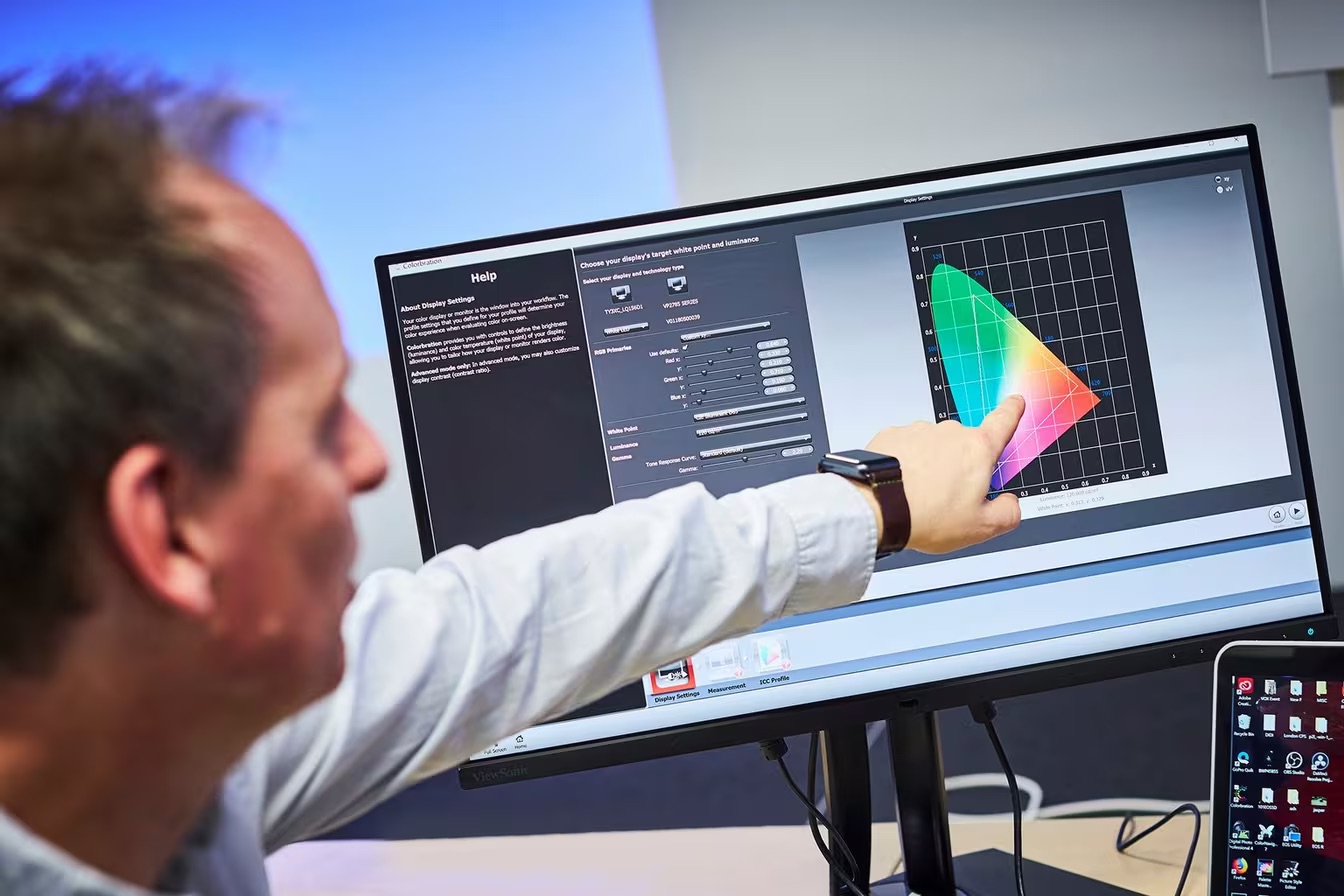
Monitor Calibration
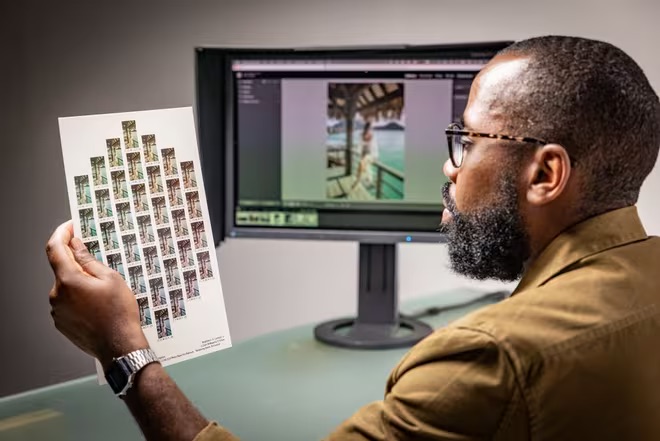
If your monitor is not calibrated, you are editing blind. A hardware calibration device ensures that the colours you see on screen are a faithful representation of the file data. This is the single most impactful step you can take to improve the accuracy of your prints. Calibrate regularly, ideally every two to four weeks, and ensure your editing environment has controlled, neutral lighting.
Soft Proofing in Lightroom and Photoshop
Soft proofing allows you to preview on screen how your image will look when printed on a specific paper with a specific profile. In Adobe Lightroom, the Soft Proofing panel lets you select the printer profile and rendering intent, instantly revealing any colours that fall outside the printable gamut. Photoshop offers similar functionality through View > Proof Setup > Custom. Use soft proofing to make targeted adjustments before committing ink to paper.
Test Strips
Before printing a full-size final piece, always produce a test strip. Print a representative section of the image at full resolution on the same paper you intend to use for the final output. Evaluate the test strip under the same lighting conditions where the finished print will be displayed. This small investment in time and media can save costly reprints and disappointment.
Borderless Versus Framed Printing
Consider the final presentation of your print from the outset. Borderless prints offer edge-to-edge impact and are suited to canvas wraps or prints mounted without a visible border. For traditional framing with a window mount, printing with generous margins is preferable, as the mount will conceal the edges and a clean border provides flexibility during framing. The PRO-2600 supports both borderless and margined printing, so plan your layout accordingly.
Step by Step: Producing a Gallery-Ready Print
Bringing together the right equipment and a disciplined workflow, here is the process for producing a gallery-ready fine art print with the Canon imagePROGRAF PRO-2600.
1. Calibrate Your Monitor
Begin every print session by confirming your monitor is calibrated. Use a hardware calibration device to profile your display to a target of D50 or D65 white point, depending on your proofing environment. This establishes the foundation for accurate colour evaluation throughout the editing and proofing process.
2. Choose Your Paper and Load the Profile
Select the paper that best suits your image. Load the corresponding ICC profile into your editing software. If you are using Canon media, profiles are available from Canon’s support site. For third-party papers, check the manufacturer’s website or consider creating a custom profile for the most precise colour match.
3. Soft Proof Your Image
Enable soft proofing in Lightroom or Photoshop using the selected ICC profile. Review the image carefully for any gamut warnings, colour shifts or tonal changes. Make adjustments as needed, working within a virtual copy or adjustment layer so your master file remains untouched.
4. Print a Test Strip
Select a representative section of the image and print it at full resolution on the chosen paper. Evaluate the test strip under the lighting conditions where the final print will be displayed. Check for colour accuracy, shadow detail, highlight rendering and overall contrast. Make any final adjustments based on this evaluation.
5. Print the Final Piece
Once you are satisfied with the test strip, print the final image. Ensure the correct media type is selected in the printer driver to optimise ink delivery and drying behaviour. Use the highest quality print mode for fine art output. If printing borderless, confirm your image includes the necessary bleed area.
6. Drying and Handling
Allow the print to dry thoroughly before handling, mounting or stacking. Pigment inks on fine art papers typically require at least 30 minutes to dry fully, though heavier papers may benefit from longer drying times. Handle prints by the edges or wear cotton gloves to avoid fingerprints and oils on the printed surface.
7. Mounting or Framing
For maximum longevity, use acid-free mounting boards and UV-protective glass or acrylic when framing. Avoid direct contact between the glass and the printed surface. For unframed display, archival mounting and protective coatings can help preserve the print in gallery and exhibition environments.
Why Buying from RGB UK Makes a Difference
Purchasing a professional large format printer is a significant investment, and the support you receive matters as much as the hardware itself. RGB UK is a specialist UK supplier with deep expertise in professional imaging and large format printing.
Expert Advice
The team at RGB UK are not general IT resellers. They are specialists in large format printing who understand the demands of photographers, artists and print studios. Whether you need guidance on printer selection, media compatibility or colour management, you are speaking to people with genuine hands-on experience.
UK-Based Support
When you need technical assistance, you want to speak to someone who understands your workflow and can resolve issues promptly. RGB UK provides direct, UK-based support from a team that knows the PRO-2600 inside and out.
Finance Options
RGB UK offers flexible finance options to help manage the cost of professional equipment. Spreading the investment over time makes it easier for studios, freelance photographers and emerging artists to access the tools they need without compromising on quality.
Installation and Training
Getting the most from a professional printer requires proper setup. RGB UK offers installation and training services to ensure your PRO-2600 is configured correctly and that you are confident in operating it from day one. This includes guidance on colour management, media handling and workflow optimisation.
Consumables Supply
Ongoing access to genuine inks and compatible media is essential for maintaining print quality. RGB UK stocks the full range of genuine Canon inks and professional media for the PRO-2600, ensuring you are never waiting on supplies.
Ready to explore the Canon imagePROGRAF PRO-2600 for your fine art printing workflow? View the full Canon imagePROGRAF PRO-2600 specifications here, or contact RGB UK to discuss your requirements with a specialist.