
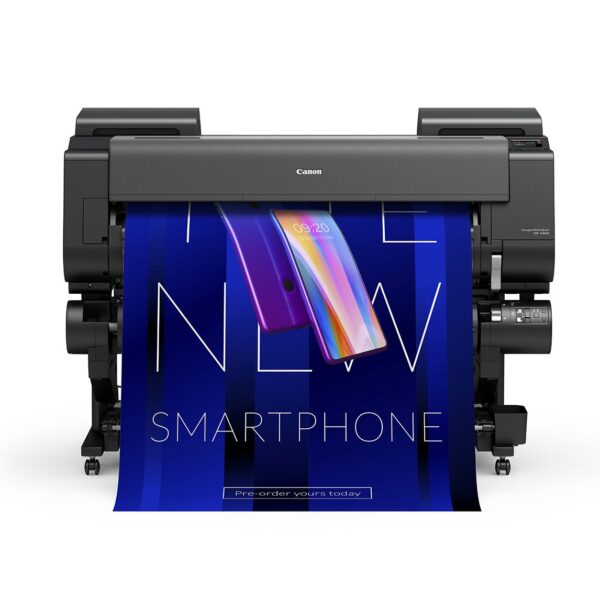
Canon Pro 4600 (44″) | imagePROGRAF Fine Art Printer
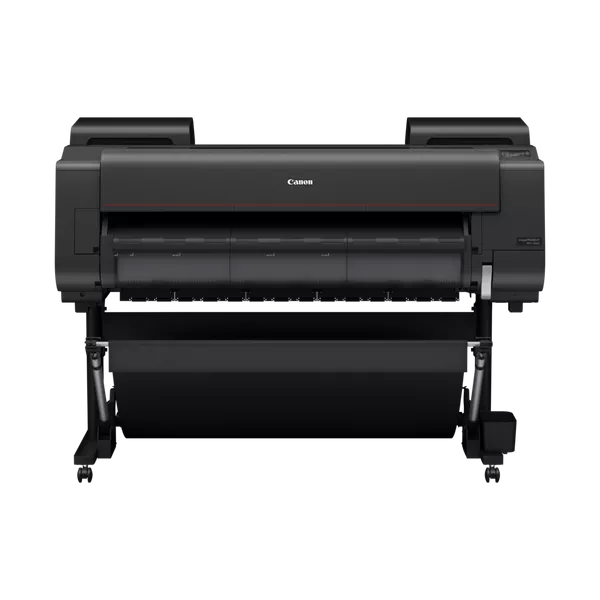
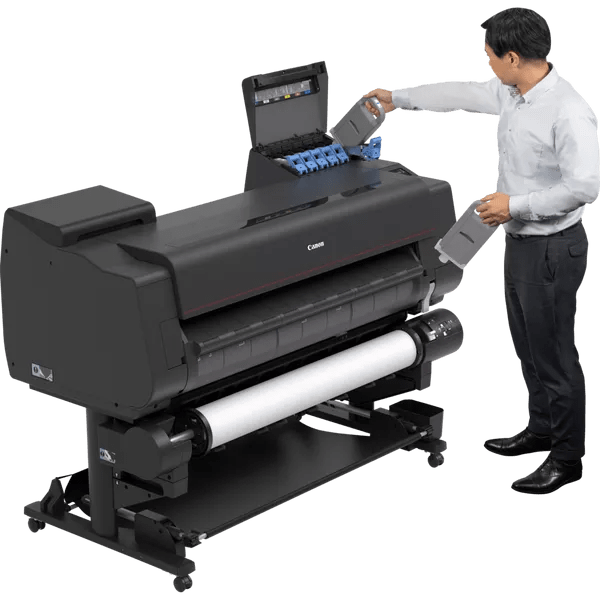
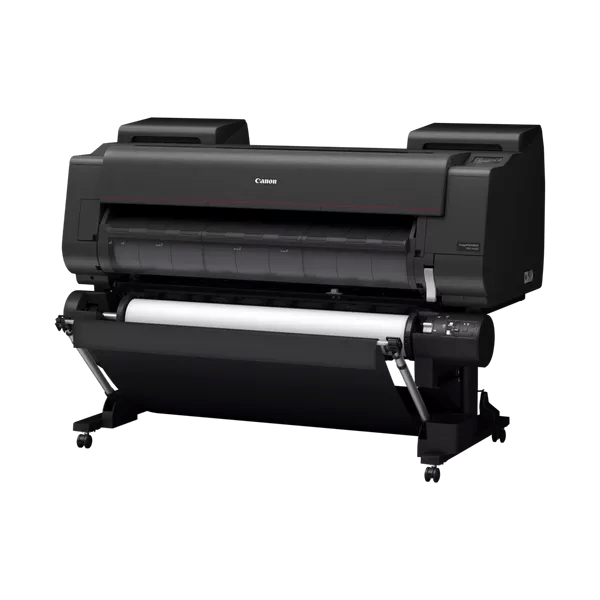
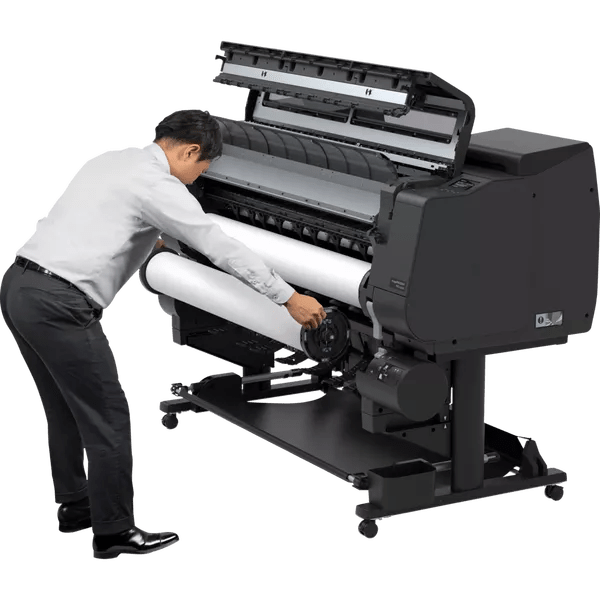
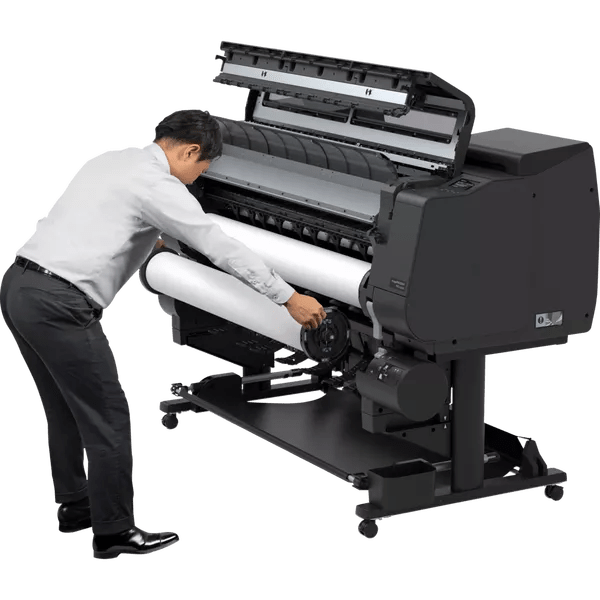
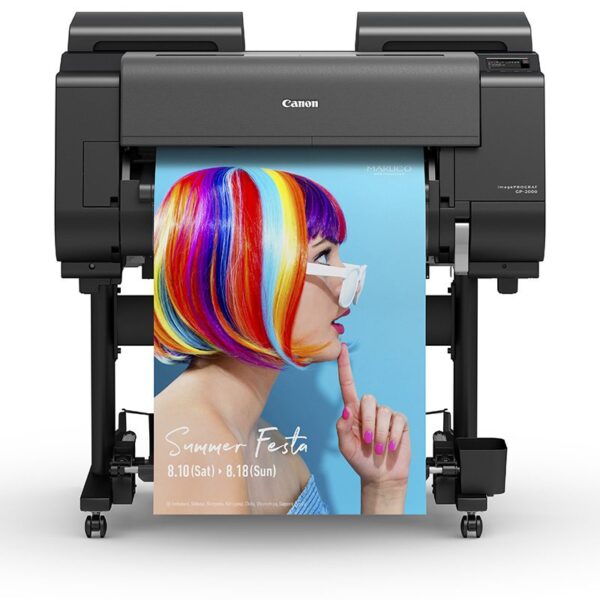
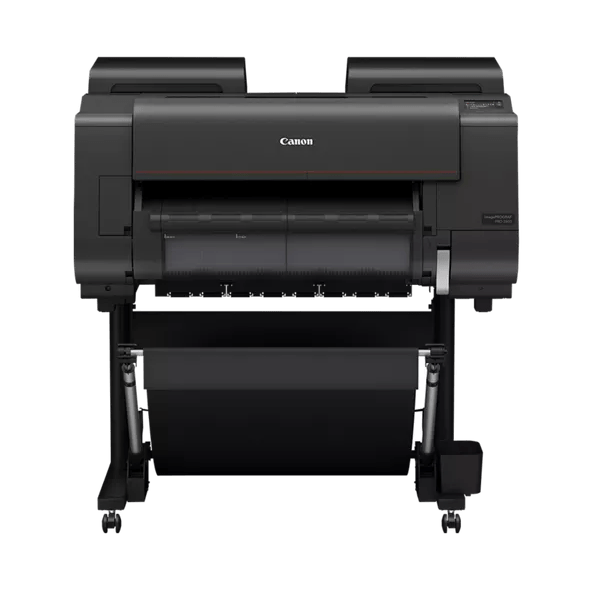
The Canon Pro 4600 delivers museum-quality 44″ prints for professional photographers, galleries and fine art studios. Featuring 11-colour LUCIA PRO II pigment inks plus Chroma Optimizer, this production printer produces scratch-resistant output with exceptional colour depth and gloss uniformity.
- 11-colour + Chroma Optimizer – deeper blacks, richer tones, uniform gloss
- Scratch-resistant finish – improved durability for handling and trimming
- Fast A0 output – approximately 1 minute 37 seconds in fast mode
- Borderless printing – edge-to-edge output on standard and custom roll widths
- Intelligent media handling – automatic roll detection and skew correction
- 500GB encrypted HDD – secure job storage for repeat printing
Need advice on the Canon Pro 4600 for your workflow? Email sales@rgbuk.com or call 01189 344426



- Description
- Additional information
- Video
- Included Software & Workflow Tools
- Chroma Optimizer Technology
- What's Included
- Setup & Workflow Tips
- Brochure
- Reviews (0)
Canon Pro 4600: Professional 44" Fine Art & Photography Printer
The Canon Pro 4600 sets the standard for 44-inch professional printing, combining advanced LUCIA PRO II pigment technology with production-grade durability. Whether you're producing exhibition prints, gallery portfolios, or commercial fine art reproduction, the Canon Pro 4600 delivers consistent, archival-quality output that meets the demanding standards of professional imaging.
Why Choose the Canon Pro 4600?
11-Colour LUCIA PRO II + Chroma Optimizer System
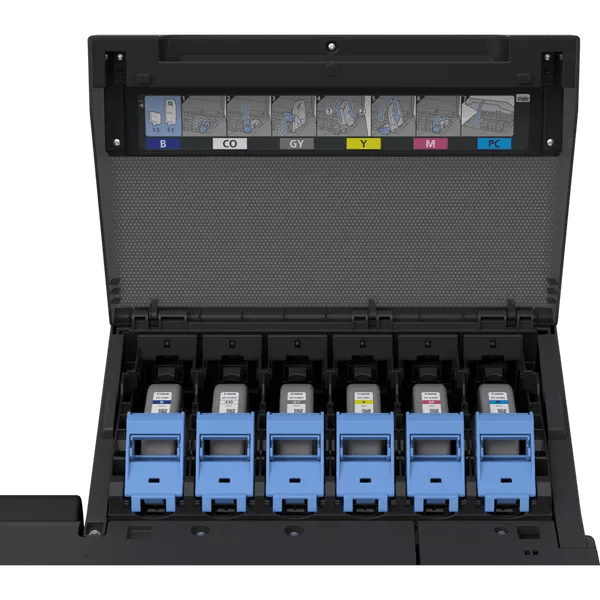
The Canon Pro 4600's advanced ink configuration includes Photo Black, Matte Black, Cyan, Magenta, Yellow, Photo Cyan, Photo Magenta, Grey, Photo Grey, Red, Orange, plus Chroma Optimizer. This comprehensive system delivers:
- Richer colour depth with extended gamut coverage for vibrant, accurate reproduction
- Deeper, denser blacks without bronzing on matte and fine art papers
- Uniform gloss consistency across mixed media surfaces, reducing differential gloss
- Enhanced scratch resistance improving print durability during handling, trimming and finishing
- Smooth gradations in shadows and highlights through dedicated grey inks
Production-Ready Media Handling
Designed for demanding professional workflows, the Canon Pro 4600 includes intelligent features that boost productivity:
- Automatic roll detection identifies media type, width and orientation instantly
- Auto skew correction minimizes media waste from misaligned rolls
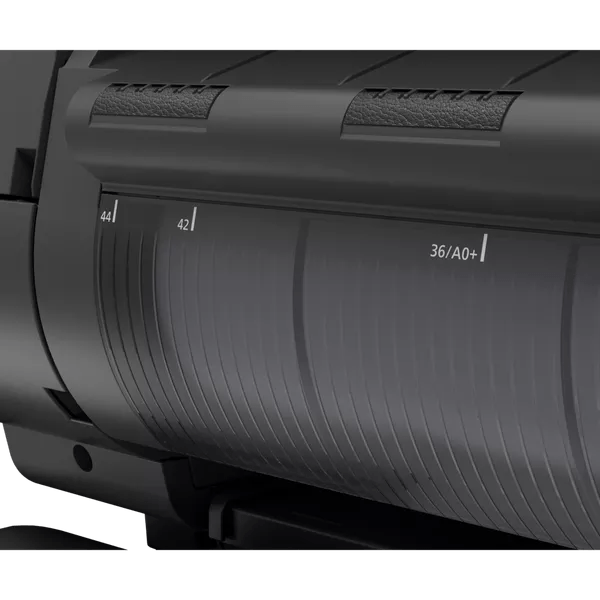
- Free-size borderless edge-to-edge printing on standard and non-standard widths
- Dual-roll ready optional second roll unit for fast media switching
- Cut-sheet and rigid board support up to 0.8mm thick substrates
Speed & Efficiency
The Canon Pro 4600 combines quality with production speed:
- Fast A0 output approximately 1 minute 37 seconds in fast mode
- 18,432 nozzles (1,536 per colour) for consistent, high-resolution coverage
- Up to 2,400 × 1,200 dpi native resolution for exceptional detail
- 500GB encrypted HDD stores jobs securely for fast reprints and batch production
Who Uses the Canon Pro 4600?
Professional Photographers
Produce exhibition prints, large-format portfolios, gallery submissions, and limited edition series with archival quality and consistent colour accuracy across extended print runs.
Fine Art & Giclée Studios
Reproduce original artwork, create museum-quality giclée prints on cotton rag and specialist papers, and deliver edition runs with repeatable colour matching for galleries and collectors.
Print Bureaux & Production Labs
Service multiple clients with high-volume short-run production, contract proofing, and mixed media output with reliable daily operation and minimal downtime.
Premium Poster Production
Create high-end promotional graphics, retail displays, event graphics and branded materials with professional finish and scratch-resistant durability.
Compatible Media for the Canon Pro 4600
The Canon Pro 4600 excels across professional fine art and photographic media:
Fine Art Papers
- Hahnemühle Photo Rag 308gsm – smooth cotton rag for museum-quality prints
- Hahnemühle German Etching 310gsm – textured fine art surface
- Canson Infinity Baryta Photographique II – high-gloss baryta finish
- Innova Fine Art Cotton 315gsm – alpha cellulose base
Photographic Papers
- Canon Pro Premium Matte 210gsm – microporous coating
- Canon Pro Platinum 300gsm – high-gloss photographic finish
- Canon Pro Lustre 260gsm – semi-gloss pearl finish
Canvas & Textured
- Heavyweight matte canvas – gallery wrap ready
- Polycotton canvas – artist-grade finish
- Watercolour-textured papers for artistic reproduction
Canon Pro 4600 Technical Specifications
Print Technology
- Print width: 44" / 1,118mm
- Ink system: 11-colour LUCIA PRO II pigment + Chroma Optimizer
- Nozzle count: 18,432 (1,536 per ink)
- Resolution: Up to 2,400 × 1,200 dpi
- Ink tanks: 160ml / 330ml / 700ml options
Media Handling
- Media width: 152.4–1,118mm (6"–44")
- Media thickness: 0.07–0.8mm
- Roll and cut-sheet feeding
- Automatic loading & dual-roll ready
- Borderless printing on multiple widths
Performance
- A0 output: ~1 min 37 sec (fast mode)
- Memory: 3GB RAM
- Storage: 500GB encrypted HDD
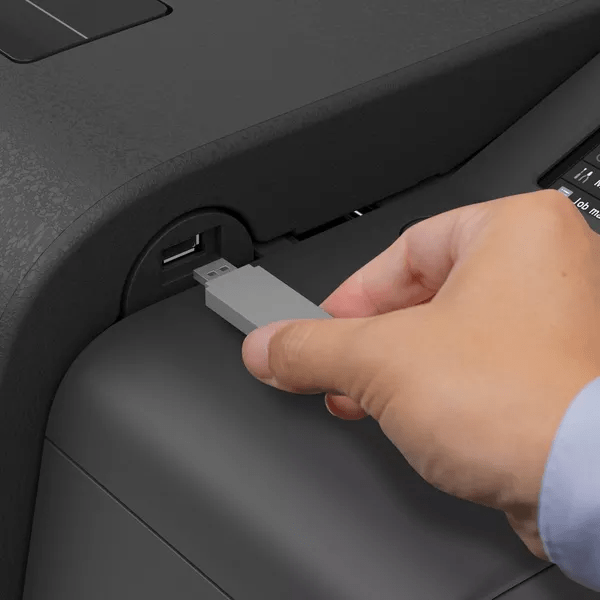
- Direct print: PDF/JPEG via USB
Connectivity
- USB 2.0, Gigabit Ethernet
- Wireless LAN optional
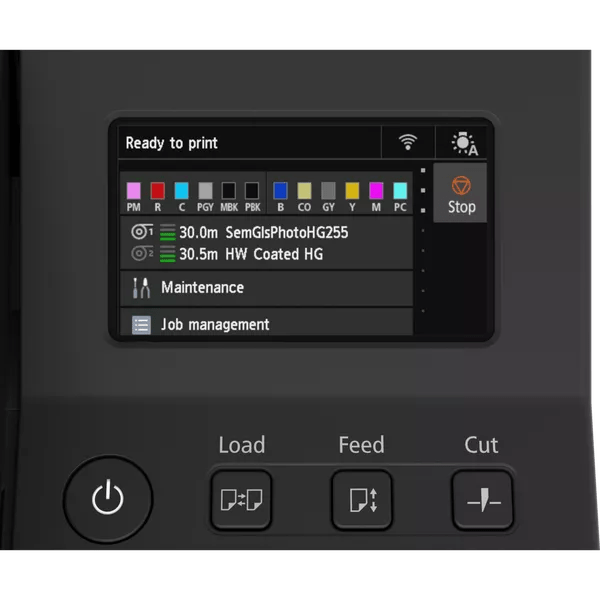
- 4.3" colour LCD touchscreen
Environmental
- Power: ~85W printing / ~1.7-2.2W standby
- EPEAT Gold certified
- Energy efficient operation
Dimensions & Weight
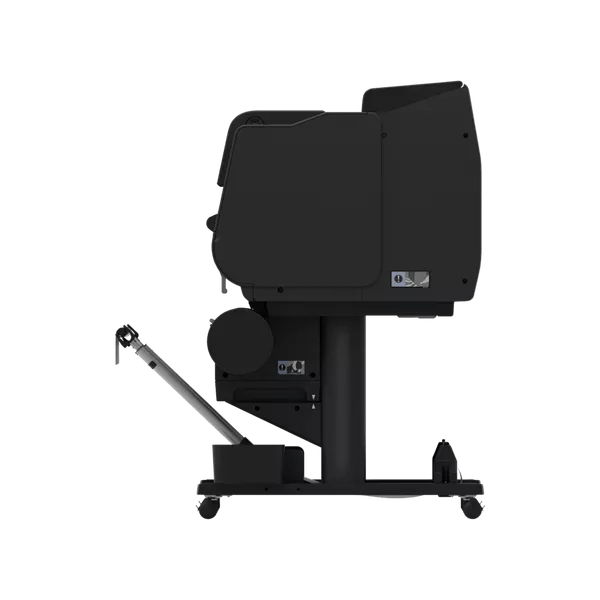
- With stand: 1,593 × 984 × 1,168mm (W×D×H, basket open)
- Weight: Approx. 124kg with stand
Canon Pro 4600 vs Other Canon Printers
The Canon Pro 4600 sits within Canon's professional imagePROGRAF range:
- Canon PRO-2600 (24") – 12-colour system for desktop fine art and photography
- Canon Pro 4600 (44") – 11-colour + Chroma Optimizer for production fine art and gallery work
- Canon PRO-6600 (60") – 11-colour + Chroma Optimizer for large-scale museum and exhibition prints
- Canon GP-4000 (44") – Fluorescent ink option for vibrant poster and signage production
Why Buy the Canon Pro 4600 from RGB UK
Official Canon Partner
Authorized UK dealer with full manufacturer warranty, genuine inks, and direct Canon support for technical queries and parts supply.
Expert Setup & Training
Professional installation with on-site colour calibration, media profiling, and workflow training tailored to your specific output requirements.
Media Consultancy
Recommendations on fine art papers, canvas, and photographic media suited to your applications, with sample prints available on request.
Ongoing Support
Technical assistance, consumables supply, maintenance guidance, and profile creation to keep your Canon Pro 4600 producing consistent results.
Get a Quote for the Canon Pro 4600
Request pricing, arrange a demonstration, or discuss media options with our Canon specialists.
Call 01189 344426 or email sales@rgbuk.com
Related Resources
- Canon Pro 4600 Ink Cartridges – LUCIA PRO II 160ml, 330ml, 700ml tanks
- Canon PRO-2600 Overview – Introduction to the 24" model
- PRO Series for Photography & Fine Art – Applications guide
- Canon imagePROGRAF Ultimate Guide – Complete printer range overview
- Fine Art Media – Papers compatible with Canon Pro 4600
- Canon Printer Drivers – Download latest drivers for Mac and Windows
Additional information
| EAN Number | 13803320909 |
|---|---|
| Manufacturer | Canon |
| Printer Size | 44" |
Video
Included Software & Workflow Tools
The Canon Pro 4600 includes comprehensive software for print management, colour control, and production workflows:
Canon Print Management Software
- Professional Print & Layout – Advanced layout tool for multi-page documents, posters, and gallery prints
- Free Layout Plus – Flexible print positioning and scaling for cut-sheet and roll media
- Direct Print Plus – PDF and JPEG printing direct from USB without computer connection
- PosterArtist (web/lite) – Template-based poster creation tool
Device Management
- Device Management Console – Network printer monitoring, status alerts, and remote diagnostics
- Accounting Manager – Job tracking, cost calculation, and usage reporting for production environments
All software is compatible with Windows and macOS, with regular updates available from Canon’s support portal.
Chroma Optimizer Technology
What is Chroma Optimizer?
Chroma Optimizer is Canon’s proprietary coating technology included in the Canon Pro 4600’s 11-colour + Chroma Optimizer configuration. This clear overcoat layer is applied during printing to enhance output quality and durability.
Benefits of Chroma Optimizer
- Uniform gloss consistency – Reduces differential gloss between printed and unprinted areas on matte and semi-gloss media, creating professional even finish
- Improved scratch resistance – Protective coating increases surface durability, critical for handling during trimming, mounting, and gallery installation
- Reduced bronzing – Minimizes the metallic sheen that can occur in dark areas on certain matte fine art papers
- Better black density – Enhances shadow detail and maintains separation in dark tones
Best Media for Chroma Optimizer
Chroma Optimizer delivers maximum benefit on:
- Matte fine art papers (cotton rag, alpha cellulose)
- Semi-gloss and lustre photographic papers
- Canvas (polycotton and heavyweight artist canvas)
- Textured watercolour-style media
The Canon Pro 4600 automatically applies Chroma Optimizer based on media settings, ensuring optimal gloss control and protection for every print.
What's Included
Canon Pro 4600 Package Contents
Hardware
- Canon imagePROGRAF Pro 4600 printer
- Floor stand with media basket
- PF-10 print head (installed)
- Maintenance cartridge (installed)
- 2″ roll holder + 3″ adapter
- Power cable
Starter Ink Set (330ml cartridges)
- Photo Black
- Matte Black
- Cyan
- Magenta
- Yellow
- Photo Cyan
- Photo Magenta
- Grey
- Photo Grey
- Red
- Orange
- Chroma Optimizer
Documentation & Software
- Quick setup guide
- User manual (digital)
- Software download instructions
- Warranty documentation
Optional Accessories
- RU-43 Dual Roll Unit – Install two media rolls for fast switching between paper types
- RH2-46 Roll Holder Set – Additional holders for quick media changes
- 160ml, 330ml, 700ml ink cartridges – Available separately for ongoing production
Need advice on accessories or replacement consumables? Contact us at sales@rgbuk.com
Setup & Workflow Tips
Getting the Best from Your Canon Pro 4600
Media Preset Management
- Save custom media presets for your most-used papers, including ink limits, gloss compensation, and borderless margins
- Name presets clearly (e.g., “Hahnemühle PR308 Matte” or “Canson Baryta Gloss”)
- Test small proof strips before full production runs to verify settings
Colour Management Best Practices
- Use ICC profiles specific to your media and ink configuration
- Enable Chroma Optimizer for matte and semi-gloss papers to maintain gloss uniformity
- Calibrate your monitor regularly with a hardware colorimeter
- Let prints dry for 24 hours before final colour evaluation
Maintenance Schedule
- Run automatic nozzle checks every morning before production
- Schedule maintenance routines to run overnight or between jobs
- Replace maintenance cartridge when prompted to prevent ink buildup
- Keep spare ink cartridges on hand to avoid workflow interruption
HDD Job Storage
- Store repeat jobs on the 500GB encrypted HDD for fast reprints
- Name stored jobs clearly with client/project codes
- Archive old jobs periodically to free up storage space
Need help optimizing your Canon Pro 4600 workflow? Our technical team can provide on-site or remote training. Email sales@rgbuk.com to arrange support.
Brochure

You must be logged in to post a review.
Reviews
There are no reviews yet.